 Expiring Codes
Expiring Codes for Kit: setup guide
Expiring Codes gives each subscriber their own one-use discount code, made in your Stripe or Paddle account, that stops working at a deadline you choose. Setup takes about five minutes.
You need a paid Kit plan (Visual Automations and apps are on Kit's paid plans) and a Stripe or Paddle Billing account.
1. Install the app
In Kit, open Apps, search for Expiring Codes and click Install. Kit asks you to allow access, then sends you to your Expiring Codes settings.
We ask Kit for access so we can save each code into the subscriber's custom fields. We never read your subscribers' emails or names.
2. Connect your checkout
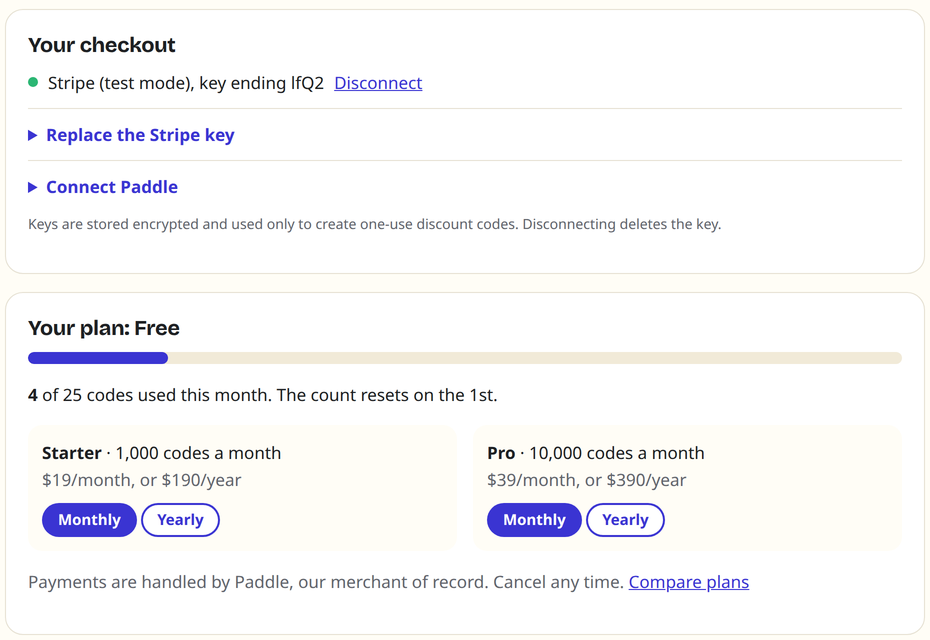
In your settings, paste a key that can only make discounts:
- Stripe: a restricted key with write access to Coupons and Promotion Codes. How to make one.
- Paddle: an API key with Discounts read and write. How to make one.
3. Add the Expiring offer step
Open a Visual Automation (Automation, then Visual automations). Click the + where the offer should start, choose Action, then Expiring Codes by Tofu Labs, then Expiring offer.
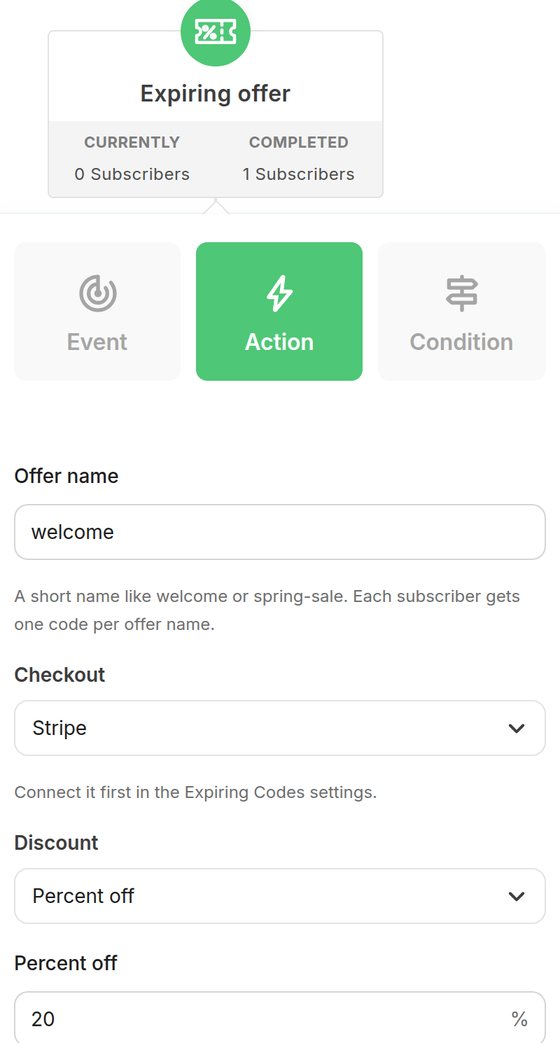
| Setting | What it does |
|---|---|
| Offer name | A short name such as welcome. Each subscriber gets one code per offer name. If they pass the step again, they get the same code and deadline back. The name also starts the code, like WELCOME7KQ2MX. |
| Checkout | Stripe or Paddle. Connect it in your settings first. |
| Discount | Percent off, or an amount off in the currency you pick. |
| Code works for | Hours from the moment the code is made, 1 to 720 (30 days). Each subscriber gets their own deadline. |
| Custom field prefix | offer unless you change it. Use a different prefix for each offer that can run at the same time. |
| Stripe coupon ID | Optional. Use a coupon you already made in Stripe, for example one that only applies to certain products. Leave it empty and we create a coupon from the discount you set. |
Kit runs app steps in batches, about every five minutes, so a subscriber can wait up to a few minutes at this step. They move on as soon as their code is saved.
4. Show the code in your email
In the email that follows the step, type / and pick the Expiring code block. It shows the code and the deadline in a dashed coupon box, with an optional button. In the editor you'll see the placeholders; your subscribers see their own code.
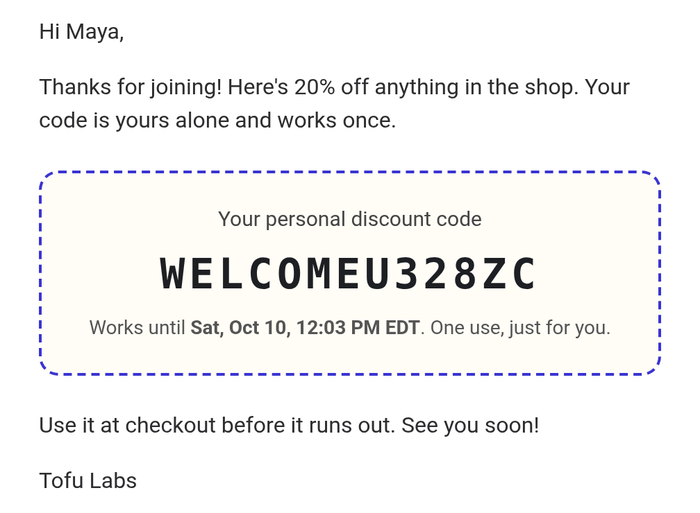
You can also place the fields anywhere Kit takes personalization, including subject lines and links:
| Tag | Example |
|---|---|
{{ subscriber.offer_code }} | WELCOME833XRV |
{{ subscriber.offer_expires_text }} | Sat, Oct 10, 11:05 AM EDT (your Kit time zone) |
{{ subscriber.offer_expires_at }} | 2026-10-10T15:05:10.000Z |
https://buy.stripe.com/your-link?prefilled_promo_code={{ subscriber.offer_code }}. Turn on "Allow promotion codes" on the link.5. Test it
- Add yourself as a subscriber and send yourself through the automation (for example with a test tag as the entry).
- Within about five minutes, check your subscriber profile in Kit: the three
offer_fields are filled in. - Open the email and try the code at your checkout. Try it a second time: it's refused, because each code works once.
Want to try without real money? Connect a Stripe test-mode key (rk_test_) or a Paddle sandbox key first, then switch to your live key.
Plans and limits
The free plan makes 25 codes a month. Starter makes 1,000 and Pro 10,000. See pricing. Reusing an existing code (same subscriber, same offer) doesn't count.
When a code can't be made (the monthly limit is reached, or no checkout is connected), the subscriber waits at the Expiring offer step. Kit tries again about every five minutes, so as soon as you connect a checkout or upgrade, waiting subscribers get their code and move on. Nobody gets the email without a code. Keep an eye on your count in settings before a big launch.
Common questions
Can someone share their code?
Each code works once. The first person to use it uses it up.
What happens at the deadline?
Stripe or Paddle stops accepting the code. Nothing else changes: the code stays in Kit so you can see what was sent.
Can I run two offers at once?
Yes. Give them different offer names and different custom field prefixes, like welcome and winback.
How do I uninstall?
In Kit, open Apps, then Expiring Codes, then Uninstall. We stop at once and delete your data within 30 days. Codes already sent keep working until their deadline, unless you delete them in Stripe or Paddle.
Still stuck? Contact support. A person answers within one business day.